
Access Your Files
From Any Device
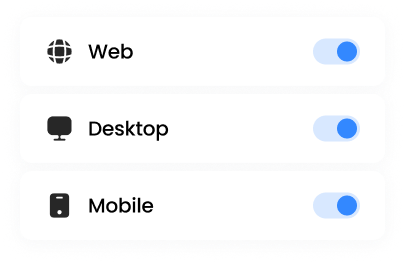
Web browser. Mapped drive. Mobile app. Three ways to access the same files, with the same permissions, from anywhere. Users choose how they work. IT stays in control.
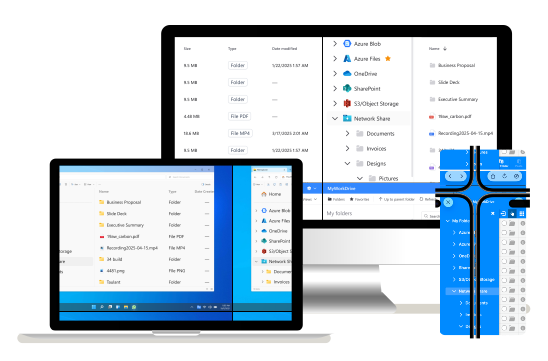
Three Clients. One Experience.
Different users prefer different tools. Some live in browsers. Some need drive letters. Some work from their phones. MyWorkDrive supports all three without forcing anyone to change how they work.
Web Client
Access from any browser, anywhere
No software to install. Log in from any computer with a modern browser and access your files immediately.
Mapped Drive
Traditional drive letters, modern access
Your storage appears as a native drive letter. Open files directly in applications. Legacy software just works.
Mobile Apps
Files in your pocket
Native iOS and Android apps for viewing, uploading, and editing files on the go.
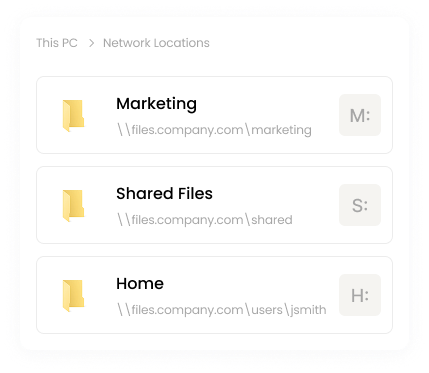
The Drive Letter Experience Your Users Already Know
Most file access solutions force users into browser-only workflows. MyWorkDrive gives them a real mapped drive that works like the file server they're used to.
AutoCAD, QuickBooks, Adobe Creative Suite, and thousands of other apps that expect file paths.
Users open files the same way they always have. Right-click, open with, save as. It all works.
Map different shares to different drive letters. Or a single drive letter with all your shares.
A Modern Web Client When You Need It
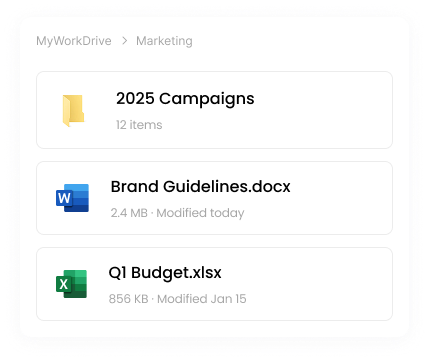
Not every situation calls for a mapped drive. Traveling with a personal laptop. Working from a client site. Quick access from a shared computer. The web client handles all of these without installing anything.
Log in from any browser, immediately see your files. No client installation needed.
Upload, download, rename, move, delete. Create new Office documents. Share via secure links.
Open Office files in Office Online for viewing or editing. Changes save back automatically.
Same Files. Same Permissions. Everywhere.
It does not matter which client your users choose. They see the same files, governed by the same NTFS permissions and Access Control Lists (ACLs).
Make a change in the web client and it is immediately visible in the mapped drive. Upload from mobile and it appears everywhere. No sync conflicts. No version mismatches. Just your files, wherever you need them.
IT does not have to standardize on one client. Let users pick what works for them. The governance stays the same.
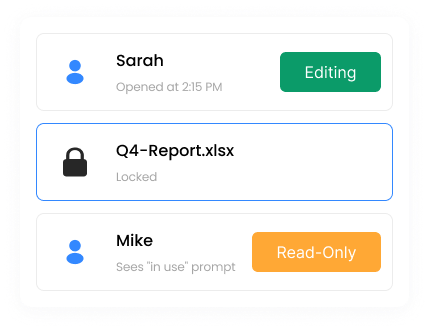
Real File Locking. No Conflicts.
Sync-based solutions create version conflicts when multiple users edit the same file. MyWorkDrive provides true SMB file locking that works across all clients and interoperates with traditional file server access.
Co-authoring supported: When using Office Online, multiple users can edit the same document simultaneously with real-time co-authoring.
Try All Three Clients
Start a free 14-day trial and test the web client, mapped drive, and mobile apps with your own storage.